


- Company
- Products
- Catalogs
- News & Trends
- Exhibitions
Aircraft simulator ERStrainingPC-based

Add to favorites
Compare this product
Characteristics
- Applications
- aircraft
- Function
- training
- Type
- PC-based
Description
Overview
The simulator integrates the functions of the Enhanced Reality System (ERS) and runs on Windows workstations. It enables operators and aircrew to rehearse missions, validate system configurations and improve operational handling of the ERS prior to aircraft deployment.
Enhanced Reality
Mission Management
Features
Benefits
Technical specifications
The simulator integrates the functions of the Enhanced Reality System (ERS) and runs on Windows workstations. It enables operators and aircrew to rehearse missions, validate system configurations and improve operational handling of the ERS prior to aircraft deployment.
Enhanced Reality
- Enhanced Reality
- Overlay vector data layers onto live camera feed
- Display streets, addresses and customisable points of interest (POI)
- Overlay camera feed on a synthetic imagery background
- Windows-based version of the airborne ERS
- Optional USB control unit
Mission Management
- Mission Management
- Camera target information
- Marker function and info box
- 3D mission planning and playback tool
Features
- Provides nearly all operational functionalities of the ERS
- Prepare crews to handle a wide range of scenarios and environments
- Train and test system configurations on ground at any time
- Use ERS mission data for post-mission review and analysis
- Supported operating systems: Microsoft Windows 7, 8, 10 and XP
Benefits
- Validate settings and train procedures before implementation in the aircraft
Technical specifications
- Product name: ERS Simulator
- Manufacturer / Brand: HENSOLDT
- Platform: Windows-based (Windows 7, Windows 8, Windows 10, Windows XP)
- Functionality: Includes nearly all ERS functionalities (Enhanced Reality and Mission Management)
- Enhanced Reality capabilities: overlay vector data layers on camera feed; overlay camera feed on synthetic imagery background; display streets, addresses and customisable points of interest
- Mission Management capabilities: camera target information; marker function and info box; 3D mission tool
- Optional hardware: USB control unit
- Use cases: training, mission rehearsal, testing and post-mission review and analysis
Catalogs
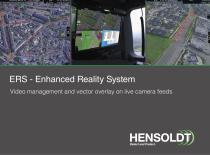
Video Management and ERS
17 Pages
EuroNav 7
19 Pages
Other HENSOLDT products
Simulation and training


*Prices are pre-tax. They exclude delivery charges and customs duties and do not include additional charges for installation or activation options. Prices are indicative only and may vary by country, with changes to the cost of raw materials and exchange rates.